














 English
 España
 Portugal
iPhone 18 Pro Replacement Parts: Screen, Battery, Camera & Repair Compatibility
1.1 What Parts Swapping Reveals About iPhone Screen Replacement, Configuration Warnings and Repair Compatibility
If an iPhone powers on after a screen or battery replacement, does that mean the repair is complete? For buyers comparing an iPhone 18 Pro replacement screen, a replacement battery, or other iPhone repair parts, this parts-swap test highlights an important distinction: starting the configuration process, successfully completing configuration, and passing functional checks after full reassembly are three different outcomes.
In the environment identified in the video as iOS 27, swapped displays, batteries, front cameras, and rear cameras are shown as Used after configuration. For anyone evaluating a replacement display, the screen-related result is more complicated. Configuration succeeds when the sensor flex is not installed, but the Unknown Part warning returns after the flex is reconnected. A successful intermediate configuration step alone is therefore not enough to confirm complete repair compatibility.
This article explains the test sequence and what the results may mean when selecting iPhone replacement parts, other phone repair parts, or a repair service. Device names and software versions follow the labels shown in the source video. The findings apply only to the combinations tested and should not be interpreted as a universal compatibility guarantee for every replacement part, supplier, region, or software version.
2. Test Setup: Original Parts Swapped Between Two Phones
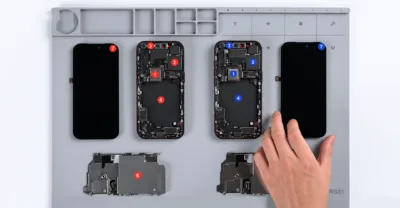
The technician disassembles two devices identified in the video as iPhone 18 Pro units and marks their components in red and blue. The display sensor flex cables are marked separately. The logic boards are then swapped, creating a test environment in which several components are connected to a logic board different from the one they were originally paired with.
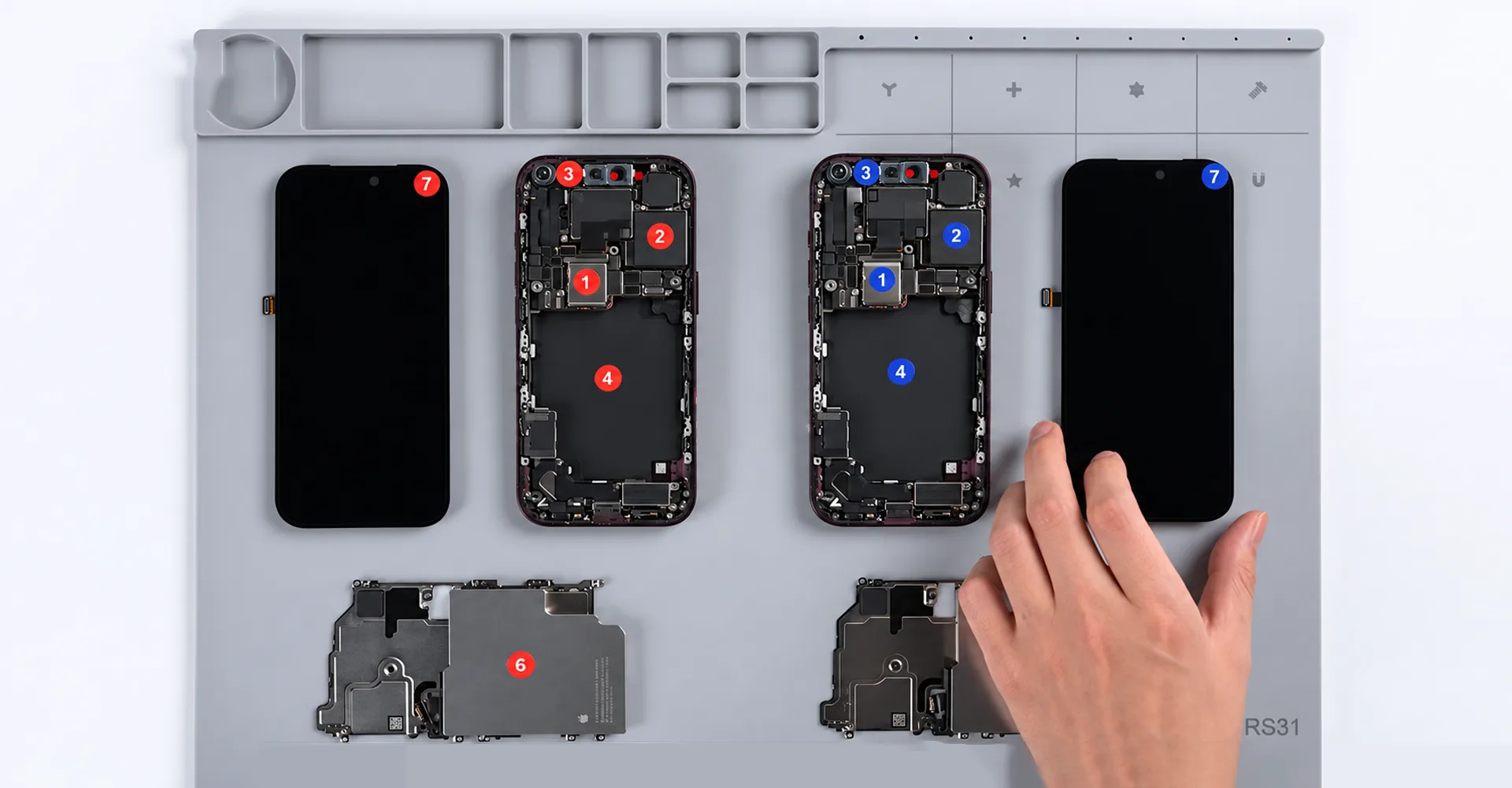
Figure 1.Components from the two phones are marked to track their combinations.
This setup is important when interpreting the results. The experiment involves original parts exchanged between two devices rather than a broad comparison of aftermarket iPhone parts such as replacement screens, batteries, or cameras. The term third-party repair describes who performs the repair; it does not necessarily mean that the replacement component itself is manufactured by a third party. Before purchasing replacement phone parts, buyers should confirm the source of the component, what is included in the assembly, and the condition being offered.
3. Which Components Can Be Configured After the Swap
After the logic-board swap and reassembly, the system offers configuration options for the display, battery, rear camera, front camera, and enclosure. The back glass does not show a configuration status. In the video, Enclosure and Back Glass are presented as separate items, so the two terms should not be treated as interchangeable.
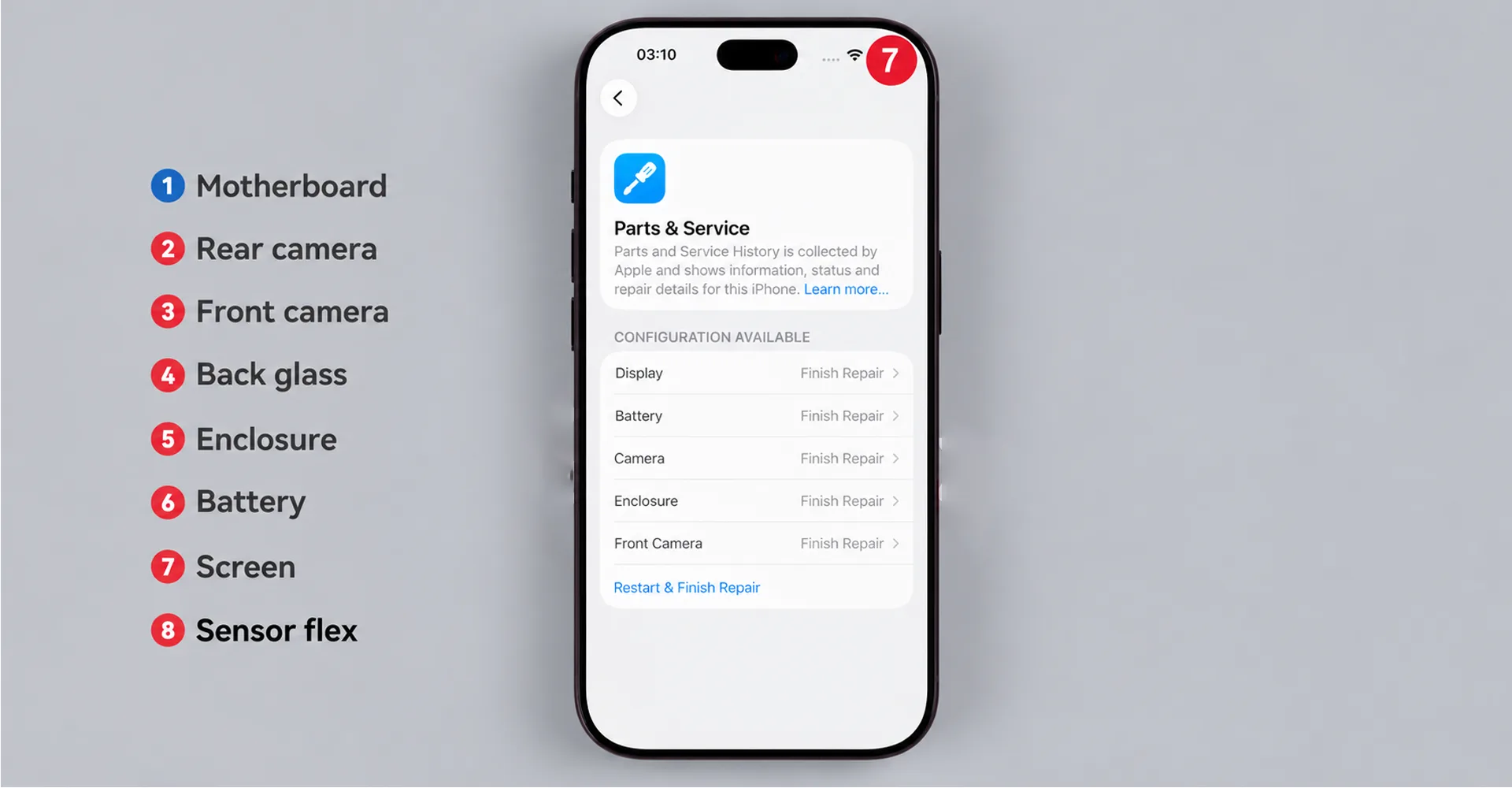
Figure 2.The Parts & Service screen offers Finish Repair for several components.
After Repair Assistant completes the process, the display, battery, rear camera, and front camera are shown as Used in the service history. Although the enclosure previously appeared as a configurable component, no corresponding enclosure entry appears in the service history afterward. The video does not explain the reason for this difference.
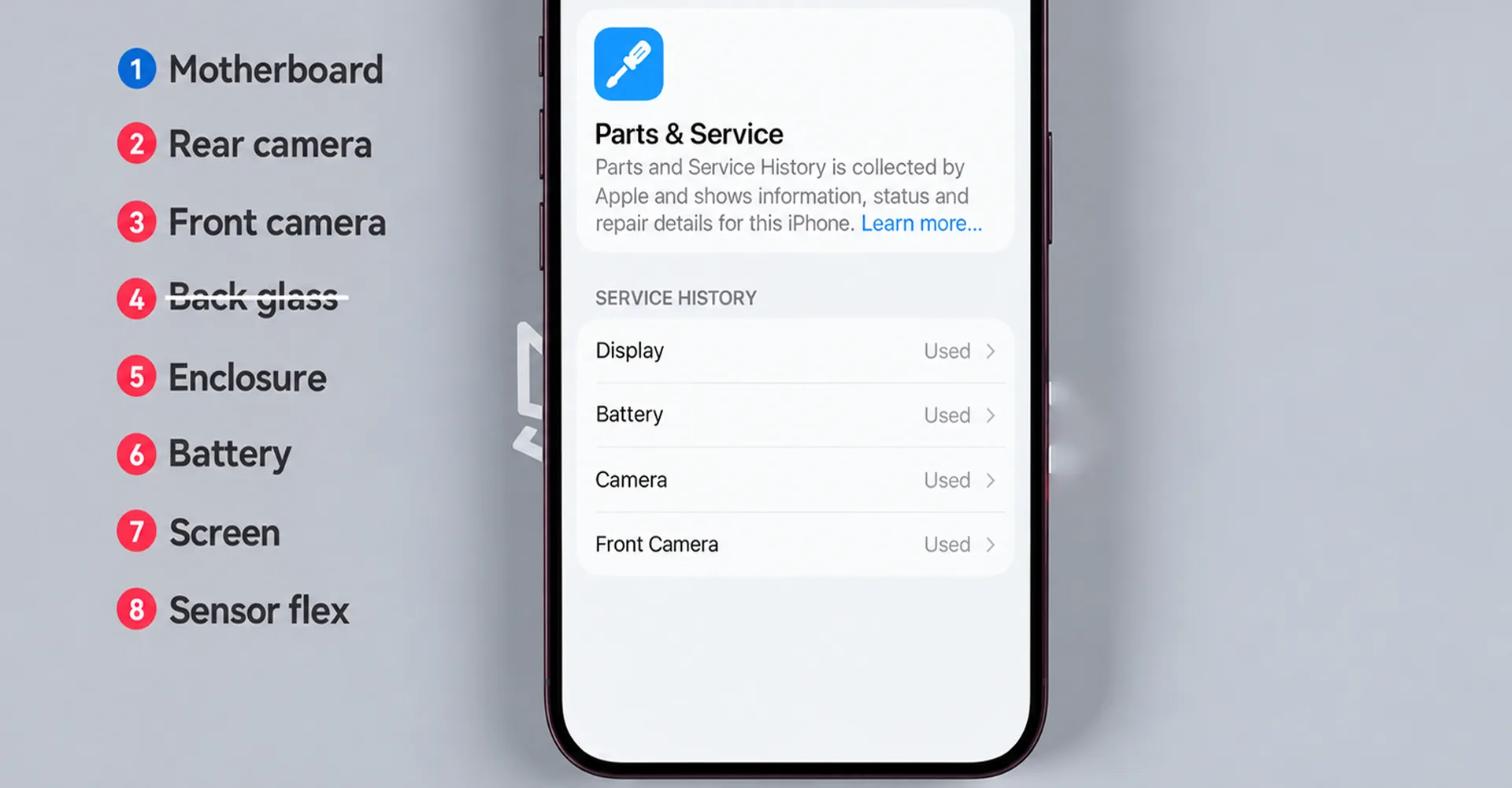
Figure 3.The configured display, battery, and camera assemblies are listed as Used.
For buyers and repair technicians, the important point is that an original donor component may still be recorded as Used rather than as a new component. The Used label shown in this test does not indicate the component’s remaining lifespan, cosmetic condition, battery health, or overall performance. Likewise, completing system configuration does not mean that every function of the repaired device has been tested.
4. Rear Camera and Back Glass Changes
4.1 No Additional Camera Calibration Was Requested
The video reports that the rear camera does not require an additional camera-calibration step after configuration. The video’s author suggests that LiDAR may no longer be involved in this part of the pairing process. However, this should be treated as an interpretation of the observed behavior rather than a confirmed technical explanation.
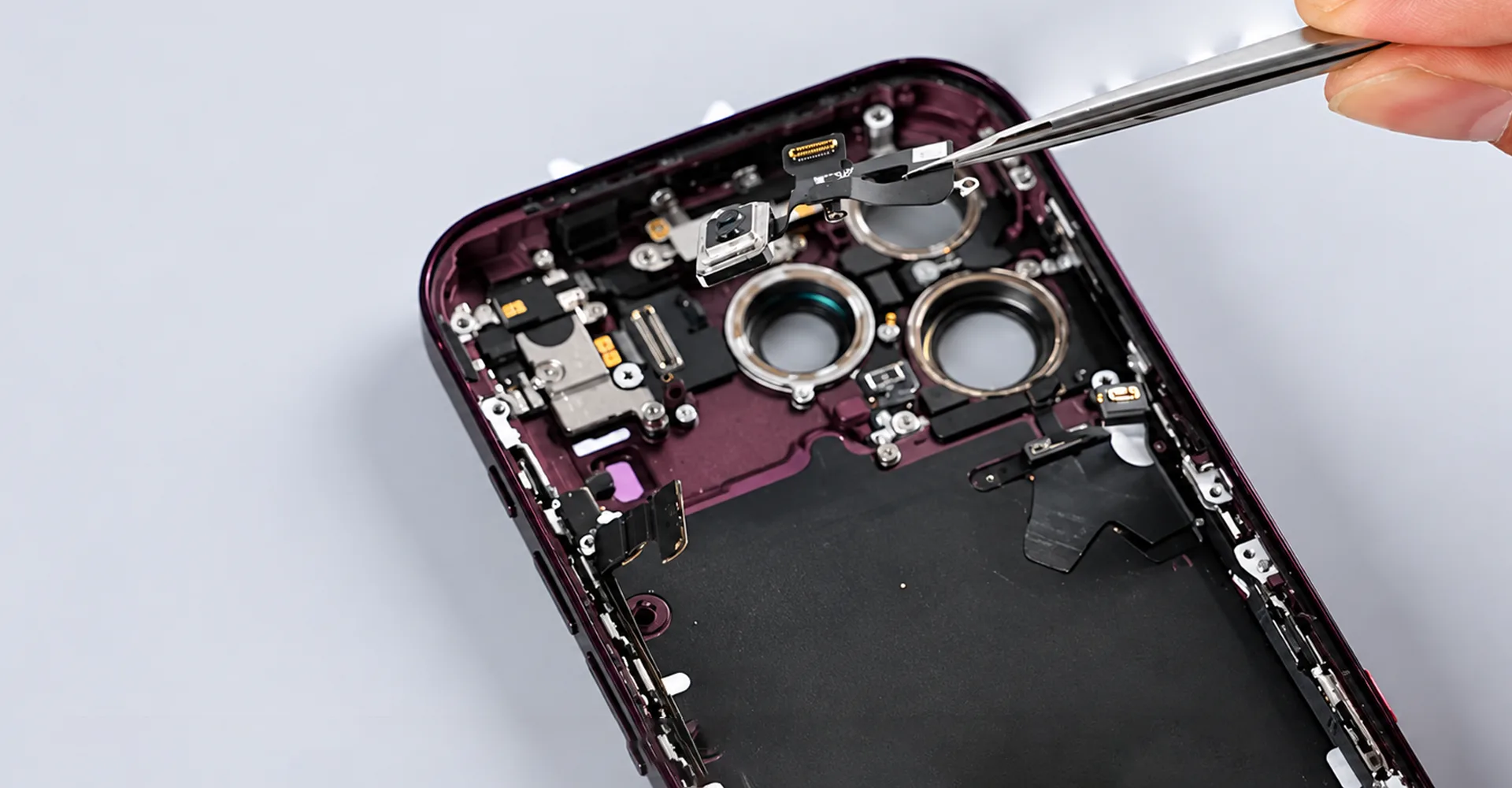
This result does not establish that LiDAR can be omitted, nor does it mean that camera functions no longer need to be tested. The video does not provide a complete comparison of autofocus, lens switching, image capture, or video recording. When evaluating a replacement camera, system configuration and practical camera performance should therefore be checked separately.
4.2 No Configuration Status Appeared for the Back Glass
After the swap, the back glass does not show a configuration status. The video’s author interprets this as a possible indication that the back glass may no longer be involved in the same pairing process. By comparison, the video describes the pairing behavior of the battery, enclosure, and front camera as remaining similar to that shown under iOS 26.
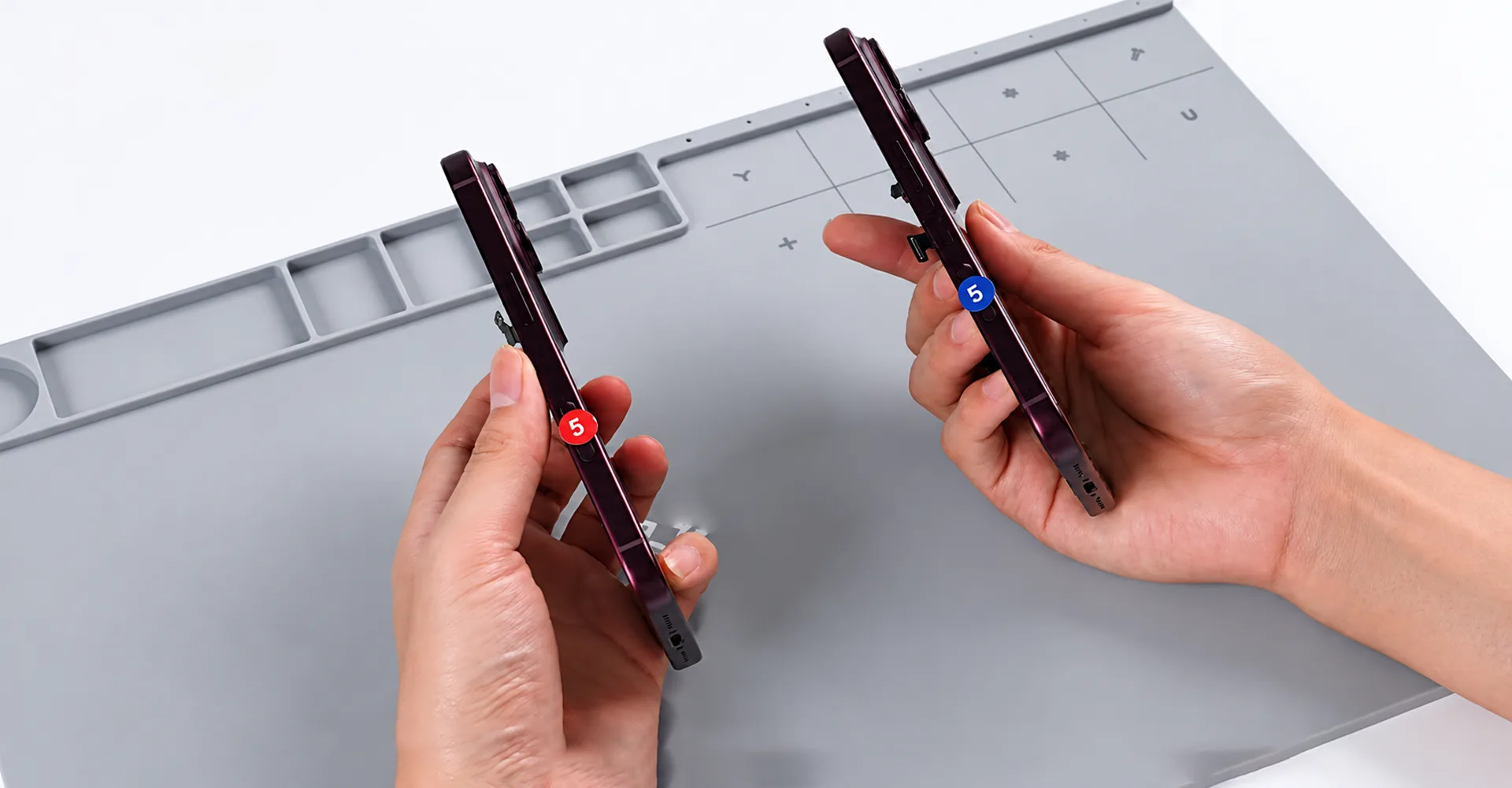
Figure 5.The back-glass segment reports no configuration status after the swap.
The absence of a configuration prompt only describes the software behavior observed in this particular test. It does not prove that every replacement back glass is compatible, nor does it eliminate the need to check installation quality, sealing, fit, and related device functions. In other words, the absence of a configuration request should not be interpreted as universal compatibility across all replacement materials, suppliers, or device variants.
5. iPhone Replacement Screen, Display and Sensor Flex Compatibility
5.1 Why Sensor Flex Changes Matter for iPhone Screen Replacement
After the initial parts-swap test, the technician exchanges the display sensor flex cables and runs Repair Assistant again. This time, configuration fails and the display is marked with an Unknown Part warning. For buyers comparing iPhone screen replacement parts, this is an important example of why the display assembly and related flex components should not be evaluated in isolation.
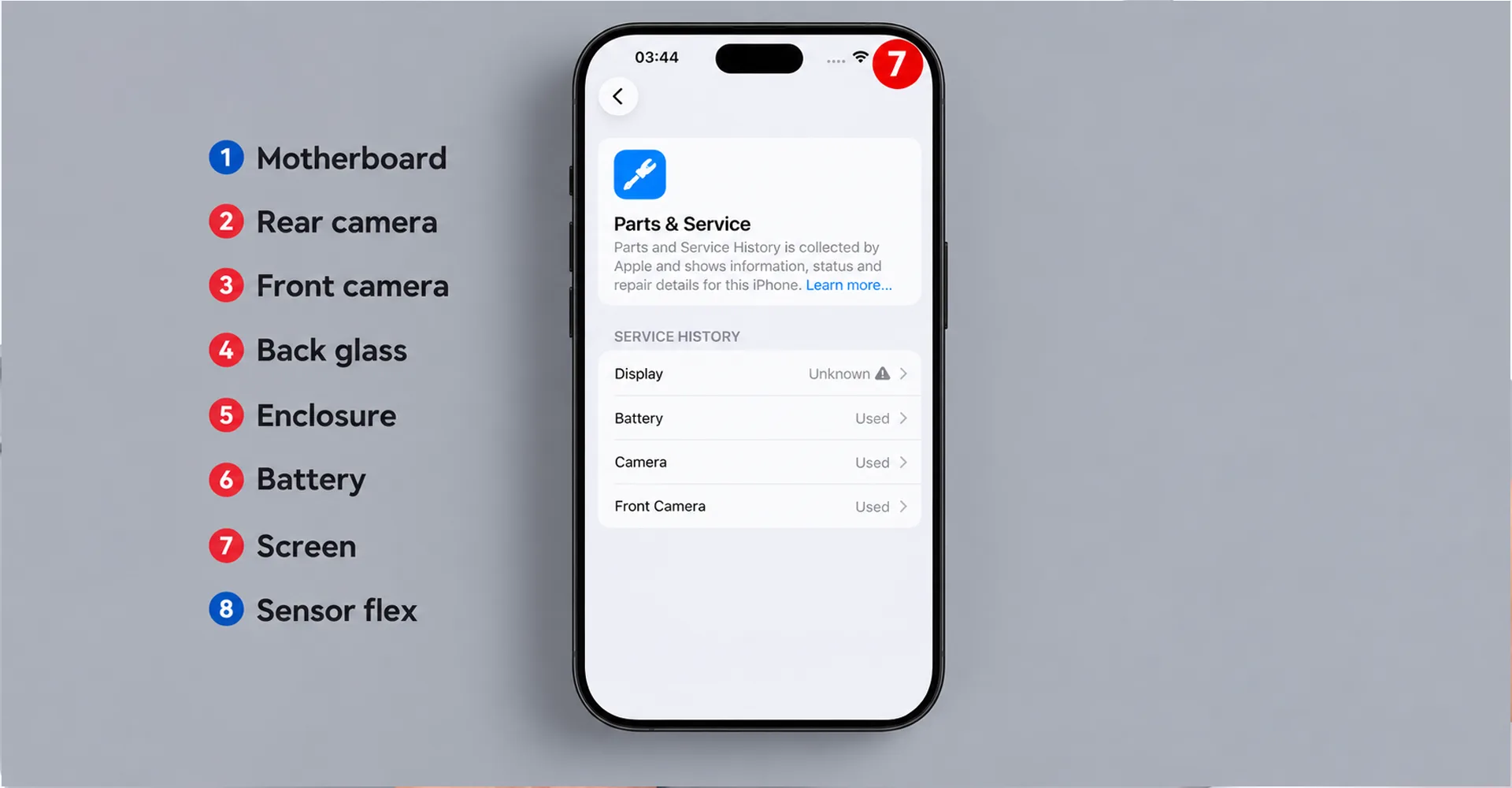
Figure 6.The display is marked Unknown after the senso
The result suggests that display recognition may depend on the relationship between the display and the sensor flex. However, the experiment does not identify the exact verification mechanism, nor does an Unknown Part warning automatically mean that the display is counterfeit or defective. This distinction is particularly important because the warning appears in an experiment involving original components taken from two devices.
5.2 Restoring the Original Combination Establishes a Baseline
The technician then returns the components to their original combinations and runs the configuration process again. According to the video, all components listed in the service history are subsequently shown as Genuine. Restoring the original combinations provides a reference point for the next experiment and prevents the results from being affected by the earlier mixed configuration.
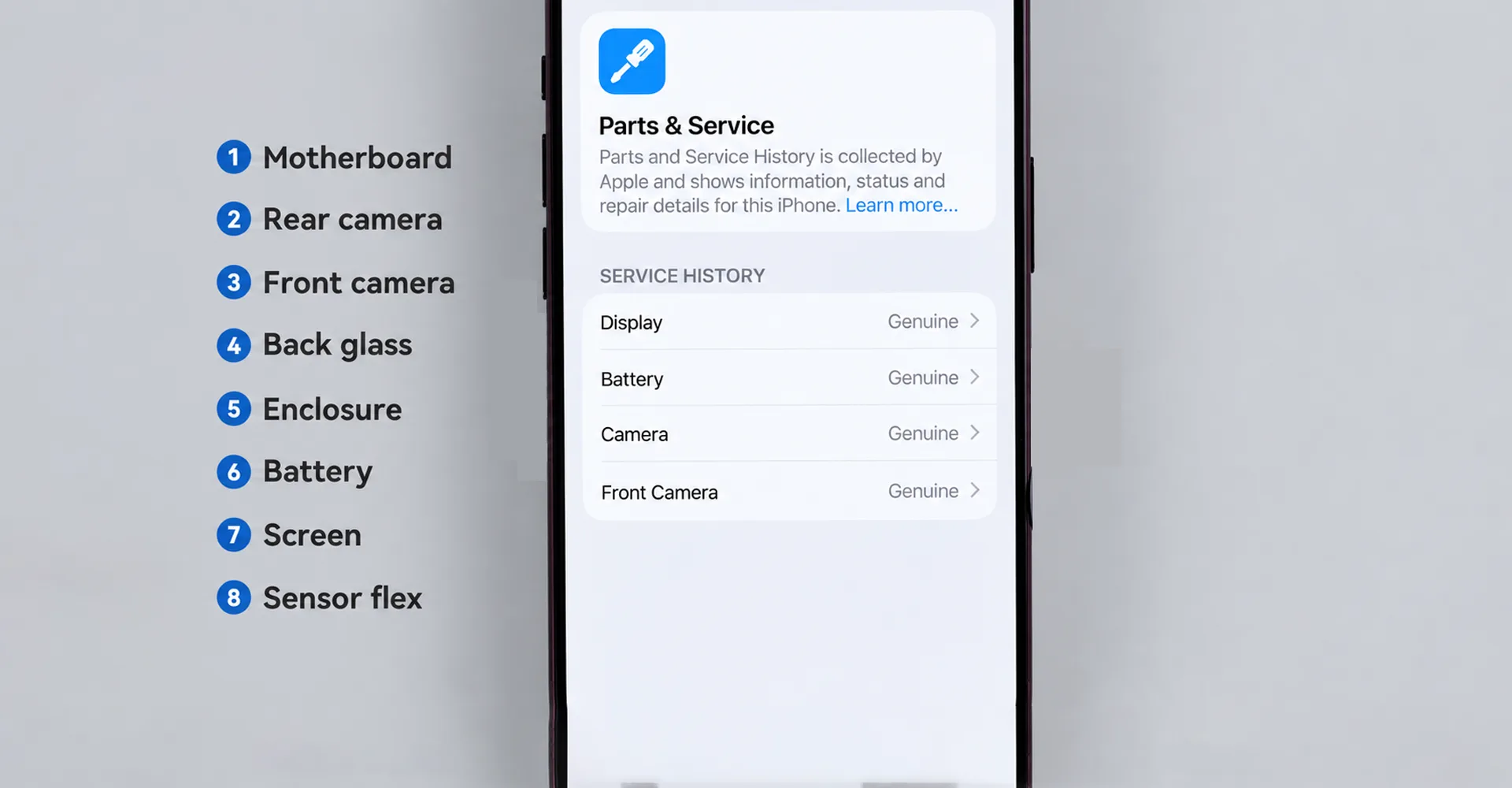
Figure 7.After the parts are returned and configured, the video reports Genuine entries.
The Genuine label represents the identification status reported by the system. It should not be interpreted as confirmation that every functional or performance test has been completed. Together, Genuine, Used, and Unknown help describe the system’s parts history, but none of these labels replaces proper functional testing.
5.3 Why a Replacement Screen Can Pass Configuration Before Final Assembly
In the next experiment, only the displays are exchanged. The sensor flex cables themselves are not swapped. The technician initially leaves the sensor flex disconnected and runs Repair Assistant in that condition.
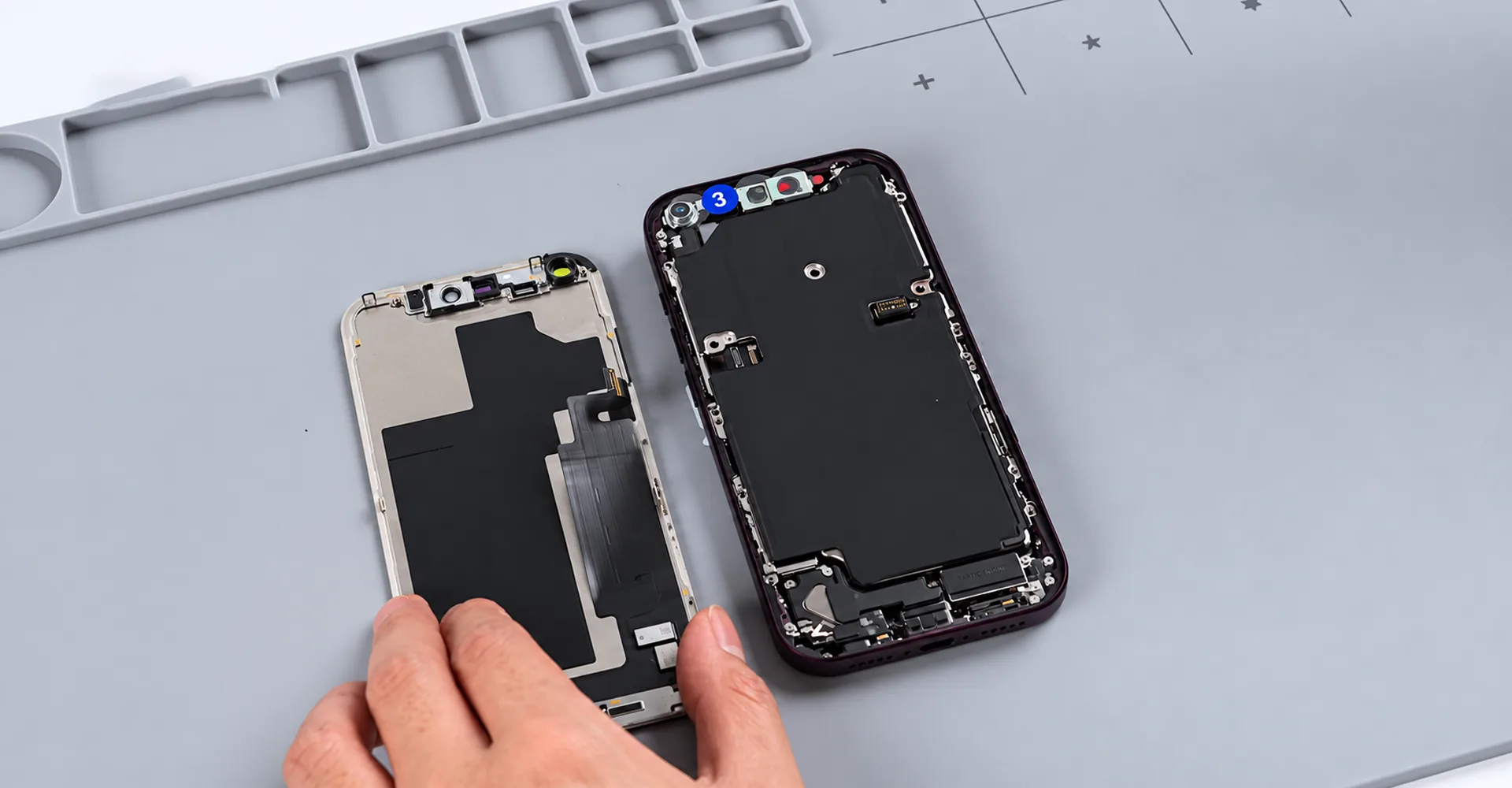
Figure 8.The next configuration attempt is made without the sensor flex installed.
Configuration succeeds. If testing stopped at this point, it could lead to the misleading conclusion that the exchanged display works without further qualification. However, the experiment continues. After the sensor flex is installed, the display’s Unknown Part warning returns.
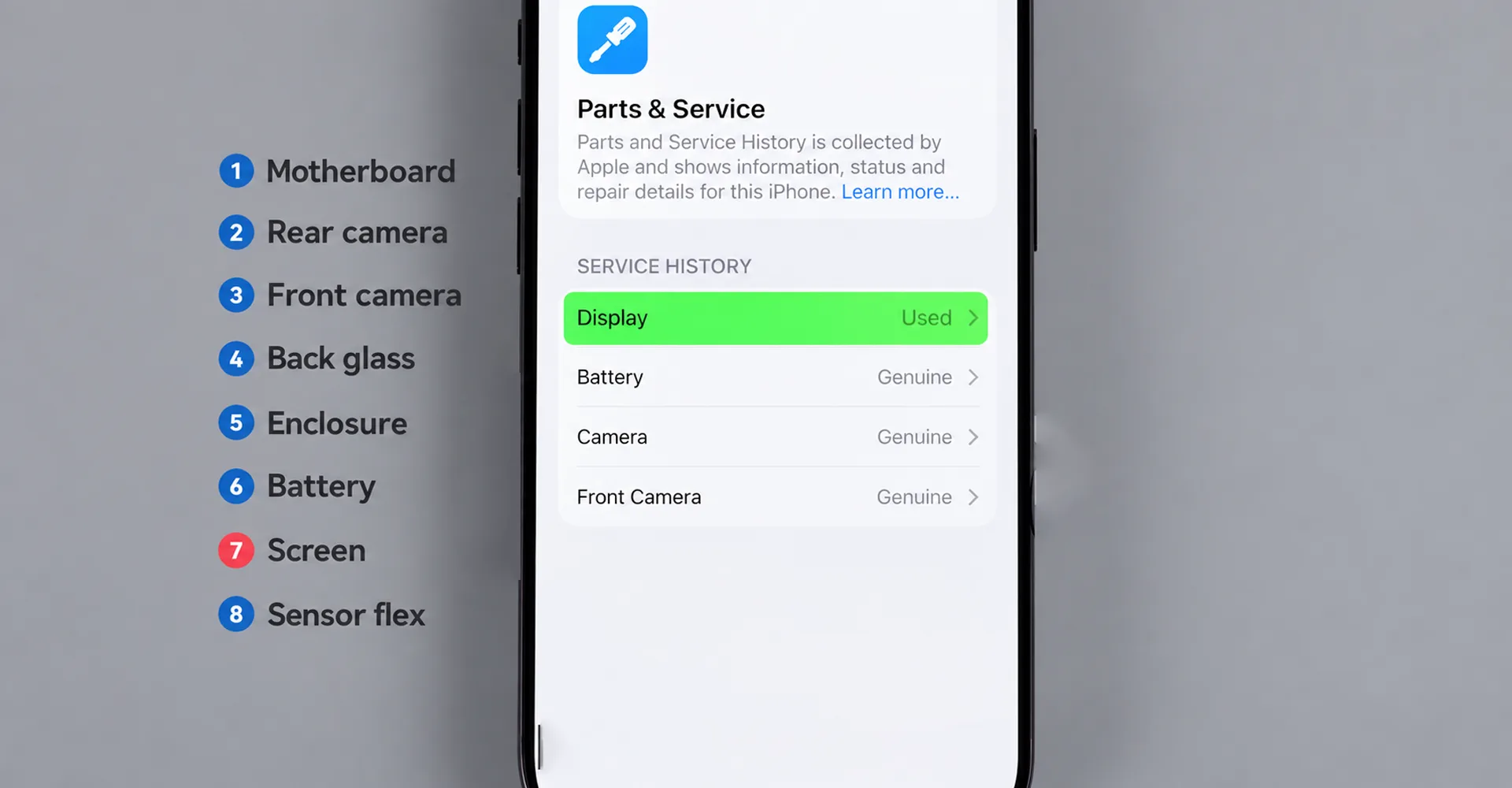
Figure 9.The video reports successful configuration while the sensor flex is absent.
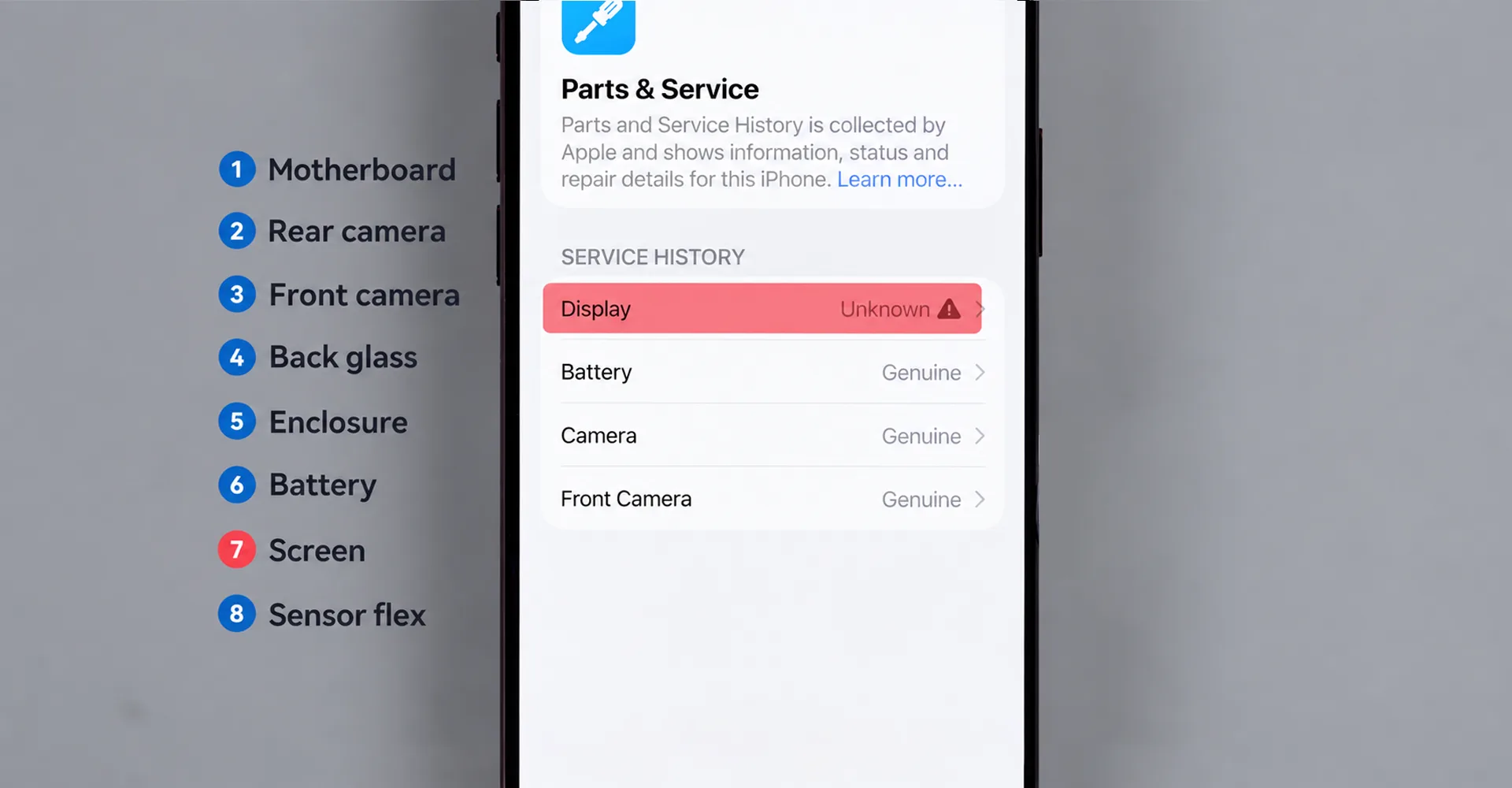
Figure 10.The Unknown Part warning returns after the sensor flex is installed.
For a completed phone screen replacement, the condition of the fully assembled device matters more than a successful intermediate configuration step. The video’s author also states that the display-pairing behavior requires further testing. Therefore, this experiment should not be presented as a verified method for removing parts warnings or as evidence that an iPhone replacement screen will always remain warning-free.
6. What to Confirm Before Buying iPhone Repair Parts or Booking a Repair
The main value of this test is that it turns a broad claim such as replacement supported into specific conditions a customer can verify. For repair shops and distributors sourcing phone repair parts or mobile phone repair parts, compatibility should be defined by the final assembled result rather than by a single successful setup step. Businesses purchasing in volume can also review WOSENTE’s Wholesale Business information. The test itself does not justify labeling all independent repairs as either compatible or incompatible.
6.1 Confirm Whether the Part Is Original, Refurbished or Aftermarket
Ask whether the product is an original donor part, refurbished component, or aftermarket-manufactured replacement. For an iPhone 18 Pro replacement screen, confirm whether the price covers only the display panel, a complete screen assembly, or the sensor flex, and identify which original components must be retained or transferred. This is also important when comparing iPhone screen replacement parts from different suppliers because assembly content can vary. The display findings in this test cannot be generalized to every supplier or assembly design. For purchasing steps and order-related details, see the WOSENTE Ordering Guide.
6.2 Define the Compatibility Promise for Replacement Phone Parts
Ask what the seller means by compatible. For an iPhone replacement screen or other replacement phone parts, does compatible mean the phone can display an image, Repair Assistant can complete, or the expected parts status remains after full assembly? Confirm the exact device model and software version. The video does not test later software updates or different regional variants, so its results cannot substitute for product-specific compatibility information.
6.3 Request Final Functional Checks for Replacement Screens, Cameras and Batteries
For a replacement screen, request checks of image quality, touch response, brightness, automatic brightness, proximity sensing, and Face ID where applicable. For a replacement camera, check image capture, autofocus, and lens switching. For a replacement battery, confirm the system record, charging behavior, and available health information. These are practical acceptance checks for mobile phone repair parts rather than tests completed by the source video. You can also review WOSENTE’s Quality Control process for more information about product inspection.
6.4 Agree on Warning Handling and After-Sales Support
Before purchasing iPhone repair parts or other phone repair parts, clarify what happens if the device shows Used or Unknown, whether further diagnosis or rework is included, and what return or exchange terms apply. Also ask how sealing is handled after the device has been opened. Configuration success does not prove that factory sealing performance has been restored, and an Unknown Part warning alone should not be treated as proof of a counterfeit component. For WOSENTE products, review the Warranty Policy before ordering.
7. Frequently Asked Questions
7.1 Does Used Mean the Part Cannot Work Properly?
No such conclusion follows from this video. The configured original donor parts are shown as Used. That record alone proves neither a fault nor full functionality; it should be considered alongside the part’s origin, condition, and actual test results. For additional purchasing and service questions about replacement parts, see our FAQ.
7.2 Does Unknown Part Always Mean Aftermarket?
No. The experiment does not support that absolute conclusion. The warning appears after changing combinations of original parts. The component, its connections, and the specific repair configuration should be investigated rather than assuming that the label identifies a counterfeit component.
7.3 Is a Repair Ready for Handover When Repair Assistant Passes?
Not necessarily. The second display experiment shows why an intermediate success is insufficient. Parts records and functions should be checked again after all components are installed. A pass obtained while the sensor flex is absent is not a substitute for a final fully assembled check.
7.4 Does This Prove Broad Aftermarket iPhone Parts Compatibility?
No. The test exchanges original parts between two devices and does not compare a broad range of aftermarket iPhone parts or third-party-manufactured replacements. It therefore does not provide a product-specific compatibility guarantee for replacement screens, batteries, cameras, or other repair parts.
8. Conclusion: What Buyers Should Check When Sourcing iPhone Replacement Parts
The video presents a mixed result. Several original donor components can enter and complete the configuration process, while the rear camera and back glass show changes in the observed workflow. However, the display and sensor flex combination can still trigger an Unknown Part warning.
When comparing an iPhone repair parts supplier, a repair service, or a replacement-parts offer, buyers should look for clear information about the source of the component, the required assembly conditions, and the expected result at handover. Confirm the exact model, software version, original components that must be retained, and expected parts status before ordering replacement screens, batteries, cameras, or other phone repair parts. Verifiable delivery conditions are more useful than an unqualified claim that a replacement is supported. If you need help confirming product details before purchase, use the WOSENTE Contact Us page.
iPhone 18 Pro Replacement Parts: Screen, Battery, Camera & Repair Compatibility
iPhone 18 Pro Replacement Parts: Screen, Battery, Camera & Repair Compatibility 1.1 What Parts Swapping Reveals About iPhone Screen
The Perfect Solution for iPhone Battery
Most batteries on IPHONE batteries on the market need to be soldered before pop-up windows and display percentages. We have

WOSENTE‘s Development Journey with Brazilian Customers
Telling about a customer from Brazil, a Chinese man who opened a wholesale store in Brazil. He met by chance.

WOSENTE‘s partnership with Mexican clients
Tell us about a customer who has worked with our company for 11 years. This customer is from Mexico. What

The cooperation history of WOSENTE Chilean customers
Tell us about a wholesaler customer from Chile. I remember when I first met this customer, the customer was a